CRM automations — emails, reminders, stage routing
When a lead moves, something else should usually move with it. Automate the repetitive bits so the team focuses on conversations.
An Automation is a rule that watches for an event (a lead is created, a stage changes, a lead has been silent for N days) and runs an action (send an email, post to a channel, create a reminder, reassign owner). It's the difference between a CRM that requires constant prodding and one that nudges the team itself.
Trigger / Action pattern
| Trigger | Action |
|---|---|
| Lead created (from form) | Send auto-reply email + create 'first call' reminder for owner |
| Lead reaches 'Qualified' | Send sales playbook email + nudge owner to send a quote within 48 hours |
| Lead stuck in 'Proposal' > 7 days | Notify owner + manager |
| Lead silent for 14 days | Send a re-engagement email; if still silent in another 14 days, auto-close as Lost |
| Lead WON | Send welcome email + create the first onboarding task |
| High-value lead created (deal > KES 1m) | Slack message to the founder |
Building an automation
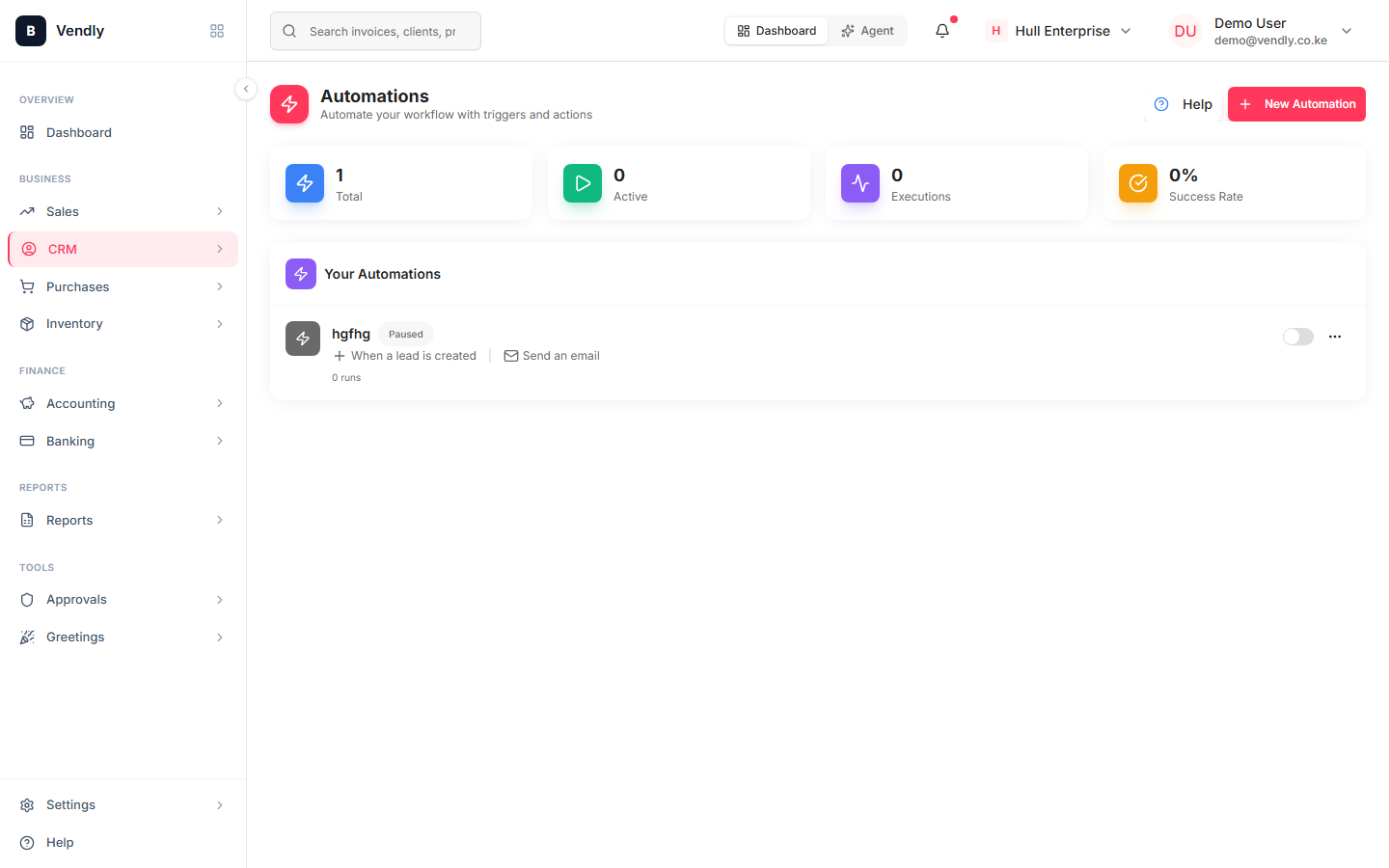
- CRM → Automations → New Automation.
- Pick the trigger event from the dropdown.
- Add optional conditions (only if Source = 'Website Form', only if Deal Value > 100,000, etc.).
- Add one or more actions: Send Email (pick a template), Create Reminder, Reassign Owner, Add Tag, Move to Stage.
- Test on a single lead before activating. The test runs the actions against a dummy event and shows you what would have happened.
- Activate.
Email templates
Automation emails pull from the Templates library. Set up the templates first — auto-reply, quote follow-up, re-engagement, win celebration — and reuse them across automations. Templates support merge tags (lead name, company, owner name, deal value) so they don't read robotic.
Open Templates
TemplatesPacing your nudges
Automations help when they remind the team about deals that need attention. They hurt when they spam the lead. Rough guide:
- Day 0 — auto-reply within 30 seconds of a form submission. Sets the expectation that someone heard them.
- Day 1 — internal reminder for the owner to make the human follow-up.
- Day 7 — gentle 'just checking in' email if there's been no contact.
- Day 21 — re-engagement email with a different angle.
- Day 35 — auto-close as Lost with the reason 'No response' and stop emailing.
Test every automation before activating it across the whole pipeline. A buggy 'lead reaches Qualified' automation can send 200 wrong emails in 30 seconds; test mode shows you exactly what will fire before it does.