Lead capture forms — public forms that land in CRM
Embed or share a form. Every submission becomes a Lead automatically, routed to the right pipeline stage and owner.
A Lead Capture Form is a public web form (Vendly-hosted at a unique URL) that creates a Lead the moment someone submits it. Each form maps its fields to Vendly Lead fields, picks the default Pipeline + Stage, and optionally auto-assigns an owner.
When to use a form
- On your website ('Request a quote' / 'Talk to sales' / 'Get a callback').
- Linked from a social-media bio (Instagram, Facebook, TikTok).
- Shared as a WhatsApp Business catalog link.
- Pasted into an email signature for cold outreach.
- Printed as a QR code on a banner / brochure / business card.
Building a form
- CRM → Forms → New Form.
- Title, description, success message. Each form has a unique public URL.
- Add fields. Standard mappings: Name → Lead.name, Email → Lead.email, Phone → Lead.phone, Company → Lead.company, Message → Lead.notes.
- Add optional fields for qualification (budget range, timeline, source of finding you).
- Pick the Pipeline + initial Stage (typically 'New').
- Pick the default Owner — usually whoever's on first-response duty.
- Save and copy the public URL or embed snippet.
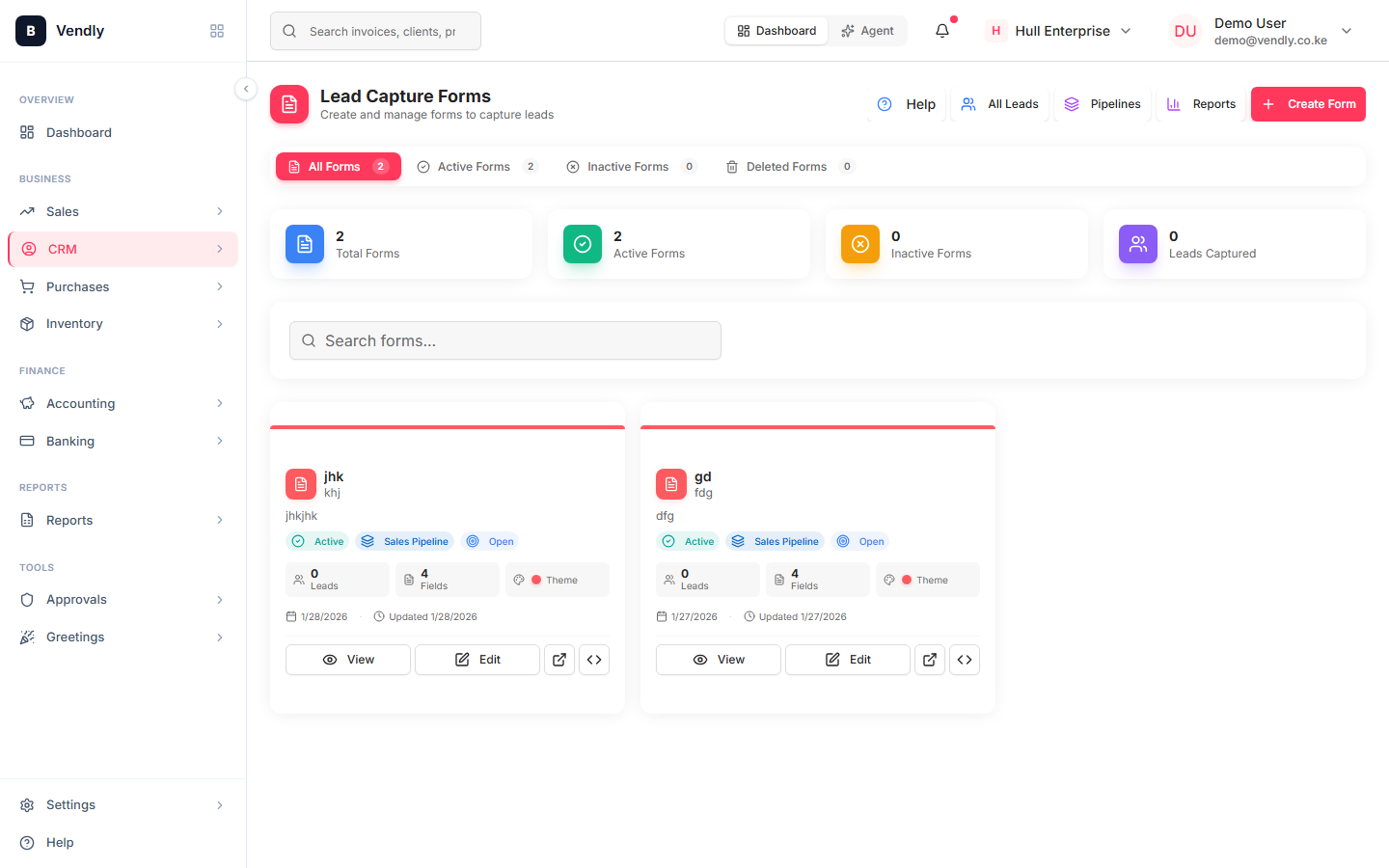
Embedding on your website
Forms ship with an iframe embed snippet you can paste into any HTML page. The iframe respects your site's colour scheme. If you want a fully native look, Vendly also exposes a JSON endpoint you can POST to from your own form code.
Spam control
- Honeypot field — invisible to humans, filled by bots. Submissions with it filled get dropped silently.
- Rate limit — same IP can't submit more than 5 forms per minute.
- Email validation — submissions with malformed email addresses are flagged.
- Optional reCAPTCHA — turn on if spam keeps hitting despite the above.
What happens after submission
- Lead is created in the assigned Pipeline + Stage with the assigned Owner.
- Optional automation fires — e.g. send an auto-reply email or post to a Slack channel.
- Owner sees the new lead in their queue (next-action defaults to today).
- Source field is auto-tagged with the form's name so 'website form leads' is filterable in reports.
Once a form is live, share its URL with your marketing channels and check the form's submission count weekly. Forms with zero submissions in 30 days are either broken (a JS error on the embed) or you haven't promoted the URL anywhere — either is fixable.