Getting started with payroll
Set up your organization, add your first employee, run your first payroll and file your first return — in that order.
Before Vendly can process payroll correctly it needs three pieces of information that don't change between pay periods: your organization's KRA PIN, each employee's statutory IDs, and the salary components (allowances, deductions) that apply across the team. Do these once and every month's run is just a few clicks.
1. Set your organization's KRA PIN
Organization settings
Open Settings → Organization Profile and fill in the KRA PIN, registered office address and currency. The PIN flows through to every P10 row and every payslip.
Go to Organization Profile2. Add salary components
Salary components are reusable rules: basic pay, house allowance, transport allowance, lunch allowance, etc. Each one is either an EARNING or a DEDUCTION and can be flagged as taxable or non-taxable. Non-taxable allowances (genuine reimbursements, per-diem) stay out of the PAYE base — the calculator handles this automatically once the flag is set correctly.
Mark a component non-taxable only if it's a true reimbursement of an out-of-pocket expense. Cash 'allowances' paid regardless of expenditure are taxable in Kenya, even if you call them 'allowances'.
Define your components
Open Salary Components3. Add employees with their statutory IDs
Each employee needs a KRA PIN, NSSF number, SHA member number and (if applicable) an NHIF number for historical records. The Personal tab on the employee profile is where these go. If an employee qualifies for PAYE reliefs (pension, mortgage, PWD exemption, etc.), use the Tax & Reliefs tab — those values flow through to PAYE on every future run.
- KRA PIN — required for PAYE and P9/P10 filings.
- NSSF number — required for the NSSF byPRO upload.
- SHA member number — required for the SHIF monthly return.
- Bank details — required for the Net-Pay payment file.
Create an employee
Open Employees4. Create and process your first payroll run
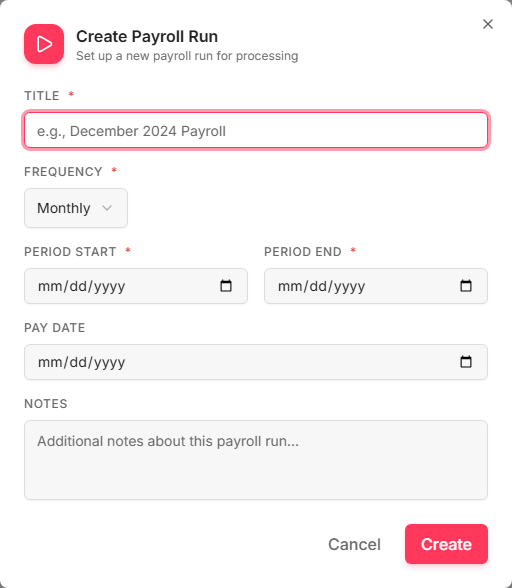
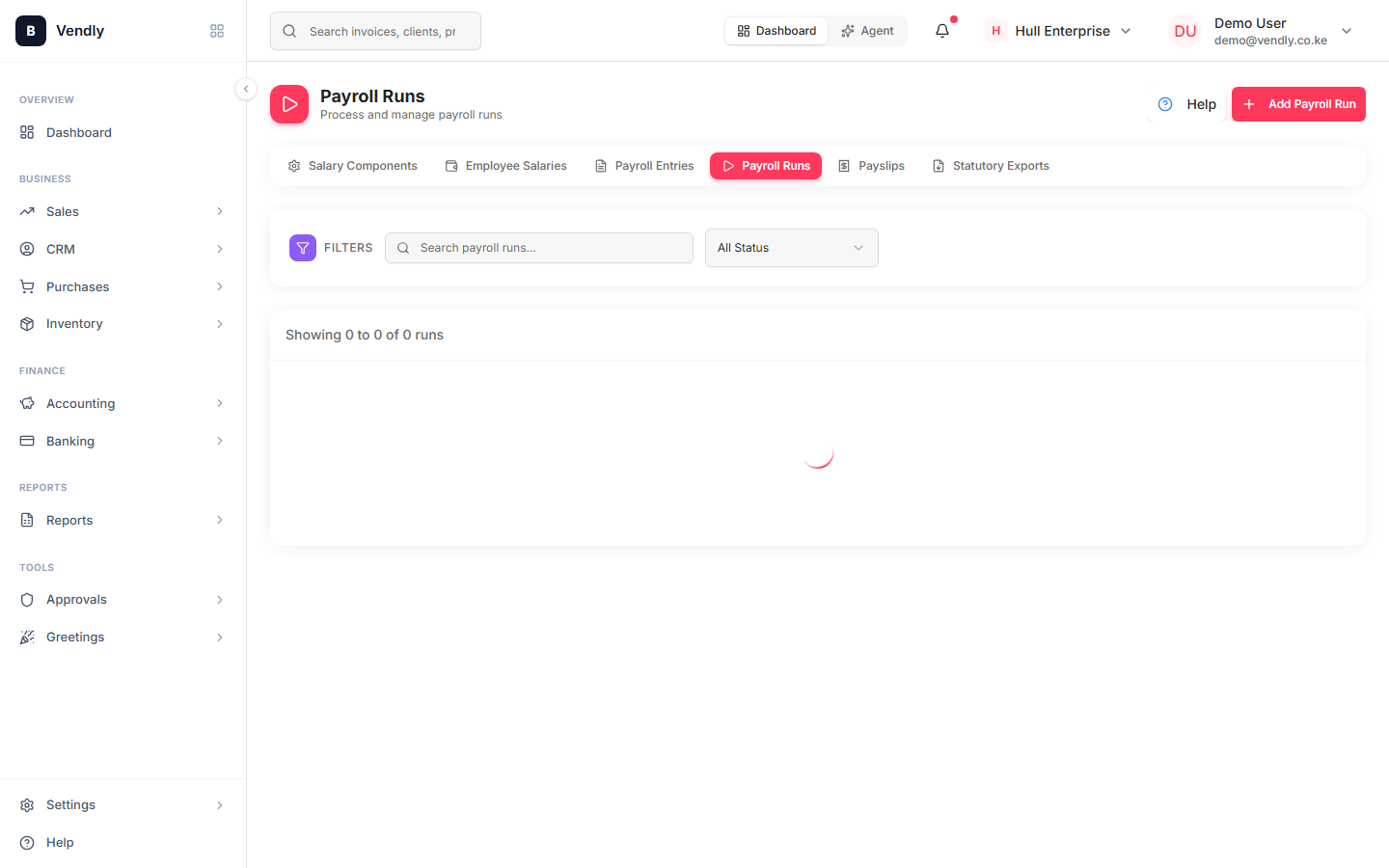
Click 'Add Payroll Run'
Pick the pay period (e.g. May 2026) and pay date. Title is whatever helps you find this run later.
- Optionally add bonuses or gratuity via the 'Bonuses & Gratuity' menu — PAYE on these is spread over the period they were earned.
- Click 'Process Run'. Vendly calculates gross, statutory contributions, PAYE and net pay for every active employee.
- Review the Payroll Records, then Approve. The general-ledger journal entry is created at approval.
- Mark Paid once the cash is out. A second journal entry clears the Net-Pay Payable.
5. File your statutory returns
Once a run is APPROVED you can download all five Kenya statutory return CSVs (P10, SHA, NSSF byPRO, AHL and the annual P9 per employee) from a single page. Each file is the bulk-upload format the relevant portal expects.
Open Statutory Exports
Go to Statutory ExportsFiling deadlines
| Return | Authority | Due |
|---|---|---|
| P10 (PAYE) | KRA iTax | 9th of the following month |
| SHIF return | Social Health Authority | 9th of the following month |
| AHL return | KRA AHL portal | 9th of the following month |
| NSSF byPRO | NSSF Employer Portal | 15th of the following month |
| P9 (annual) | KRA — issued to employee | End of February each year |
Kenya law that applies
- Income Tax Act, Cap 470
Primary statute for PAYE, allowable deductions, reliefs and benefit-in-kind valuation.
- National Social Security Fund Act 2013
Tier I + Tier II pension contributions; phased ceilings over five years.
- Social Health Insurance Act 2023
Replaced NHIF with the Social Health Authority and the Social Health Insurance Fund (SHIF) from 1 October 2024.
- Affordable Housing Act 2024
Affordable Housing Levy — 1.5% of gross from both employee and employer.