Getting started with invoicing
Add a client, list your products and services, and issue your first invoice — in that order.
Vendly's invoicing chain has three layers: a client you're selling to, a catalogue of products and services with their tax rates, and the document itself. Set the first two up once and every invoice afterwards is just a few clicks.
1. Add your client
Open Clients
Capture the buyer's legal name, KRA PIN, email and billing address. KRA PIN is required for any tax invoice the buyer wants to claim as VAT input.
Open Clients2. Set up your catalogue
Each product or service carries a default tax rate (typically 16% standard VAT, 0% zero-rated, or exempt). The rate flows through to every invoice line automatically — fix it on the product, not on each invoice.
Add products and services
Open Products3. Create your first invoice
- Sales → Invoices → New Invoice.
- Pick the client. KRA PIN and billing address auto-fill.
- Add line items from your catalogue. Quantity × unit price × (1 + tax rate) gives the line total.
- Set the due date. Standard payment terms in Kenya are 30 days for B2B.
- Optionally add a withholding-tax line if the buyer is a WHT agent (see Withholding tax article).
- Save as DRAFT to review or SENT to issue.
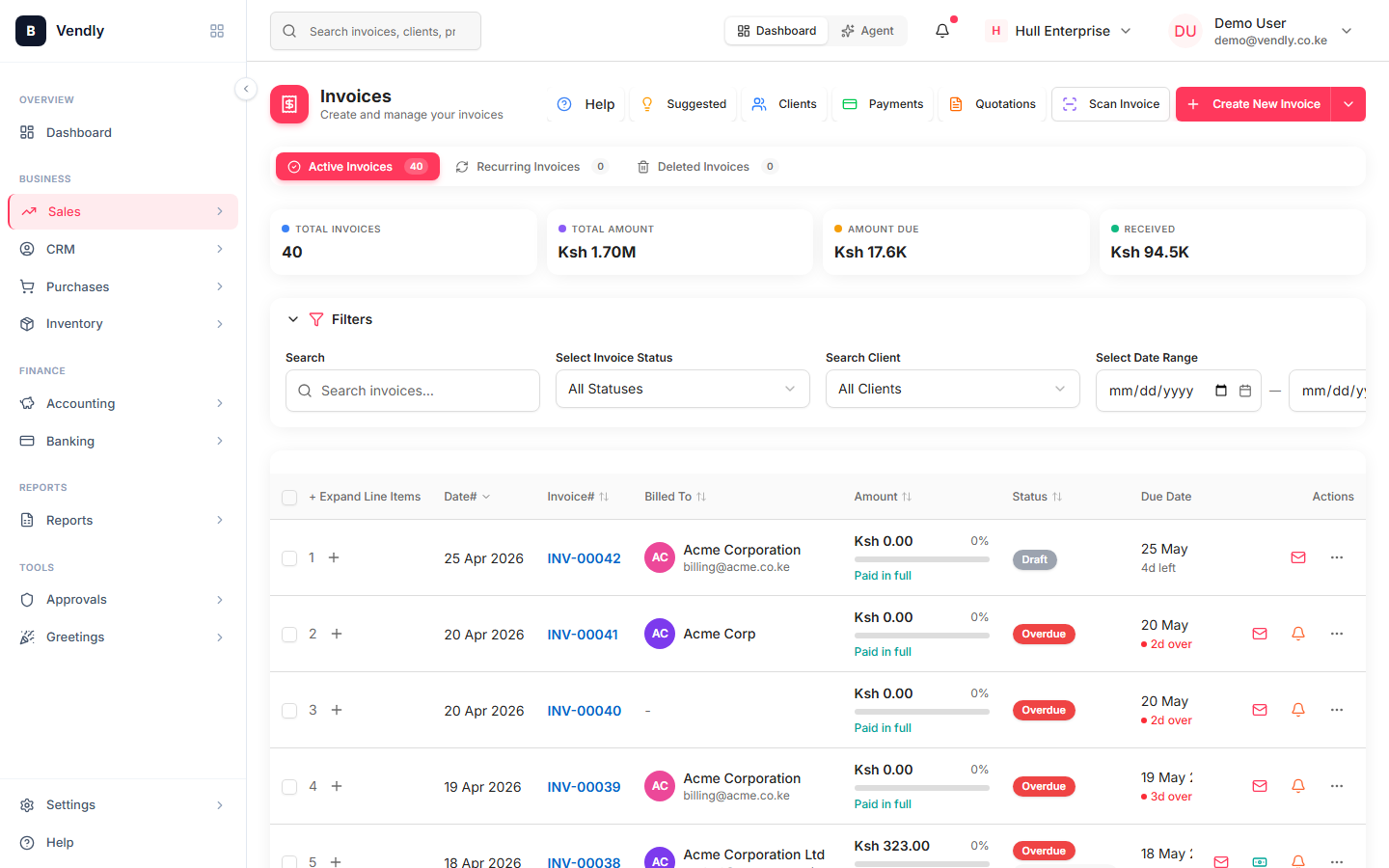
4. Send and follow up
Every saved invoice gets a public share link the client can open without logging in. Email it, copy-paste into WhatsApp, or print directly. Vendly tracks when the share link is opened so you know the invoice was seen.
5. Record payment
Once the client pays, record a Payment Receipt against the invoice. Partial payments are supported — the invoice status moves through PARTIAL → PAID automatically. Status changes post the journal entry that clears Accounts Receivable.
Record a payment
Payment ReceiptsEvery taxable invoice issued in Kenya must also pass through eTIMS — KRA's Electronic Tax Invoice Management System. Make sure your eTIMS integration is connected before you start issuing VAT invoices. See the eTIMS article.
Kenya law that applies
- Value Added Tax Act 2013
Standard rate 16% VAT, exempt and zero-rated supplies, the KES 5m registration threshold, monthly VAT3 return.
- KRA eTIMS — Electronic Tax Invoice Management System
Mandatory e-invoicing system. Every taxable supply must be issued through eTIMS — sales without an eTIMS invoice cannot be claimed as an input by the buyer.